

Best OBD2 Scanners for Beginners and First Time Buyers (2026)

Read Time:13 Minute, 11 Second
Full system scanners that do more than read codes — ranked, compared, and explained for first time buyers
Your check engine light is on. Maybe the ABS light too. You have already learned that a $150 dealer diagnostic fee just to plug in a scanner is one of the most frustrating expenses in car ownership. The good news: the right OBD2 scanner puts that exact capability in your hands and in 2026, the best options for first time buyers are more powerful than ever.
This guide focuses on full system scanners tools that go beyond basic engine codes to read every module on your vehicle, including ABS, airbags, transmission, TPMS, and body control. We cover seven of the most competitive options at every price point, with honest pros and cons on each. The best pick for most first time buyers is the YOUCANIC UCANII Pro, and we will show you exactly why and when the competition makes more sense.
Contents
hide
Quick Pick Summary
Not ready to read the full breakdown? Here is where each scanner wins:
| Category | Pick | Why |
| Best Overall | YOUCANIC UCAN II Pro | Full system, bi di, AI, no subscription |
| Best App Based | BlueDriver Pro | Polished app, full system, guided repairs |
| Best Mid Range Budget | Mucar CDE900 Pro | Full system + bi di under $200 |
| Best Entry Level Tablet | Autel MK808BT Pro | 28+ services, wide coverage ~$549 |
| Best Professional Tablet | Topdon Phoenix Lite 2 | Depth + coverage for advanced users |
| Most Affordable Full System | ThinkCar ThinkDiag 2 | Full system, watch the brand unlock fees |
| Best Basic Code Reader | Foxwell NT301 | Engine codes only, simple & reliable |
What Separates a Good Full System Scanner from a Basic Code Reader
Most $30–$80 scanners on the market are code readers. They pull engine DTCs and not much else. A full system scanner is a fundamentally different tool. These are the things to look for when stepping up to a full system scanner?
- Full system coverage: Not only should it scan only the powertrain but the transmission, ABS, airbag/SRS, TPMS, body control, climate, sunroof, and all other modules other then the powertrain.
- Bi directional controls: The ability to command components to activate like cycle a relay, bleed brakes,or test a solenoid rather than only reading what the car reports. This is the difference between diagnosing and guessing.
- Service functions: Oil reset, battery registration, TPMS relearn, DPF regeneration, throttle adaptation, steering angle calibration functions that may require a dealer visit.
- Subscription model: Some scanners are free forever; others charge annual fees of $100–$300 to maintain full access.
- Repair guidance: Does the scanner tell you what to do about the code it found, or just that the code exists?
The Scanners: Full Reviews
1. YOUCANIC UCAN II Pro — Best Overall for Beginners
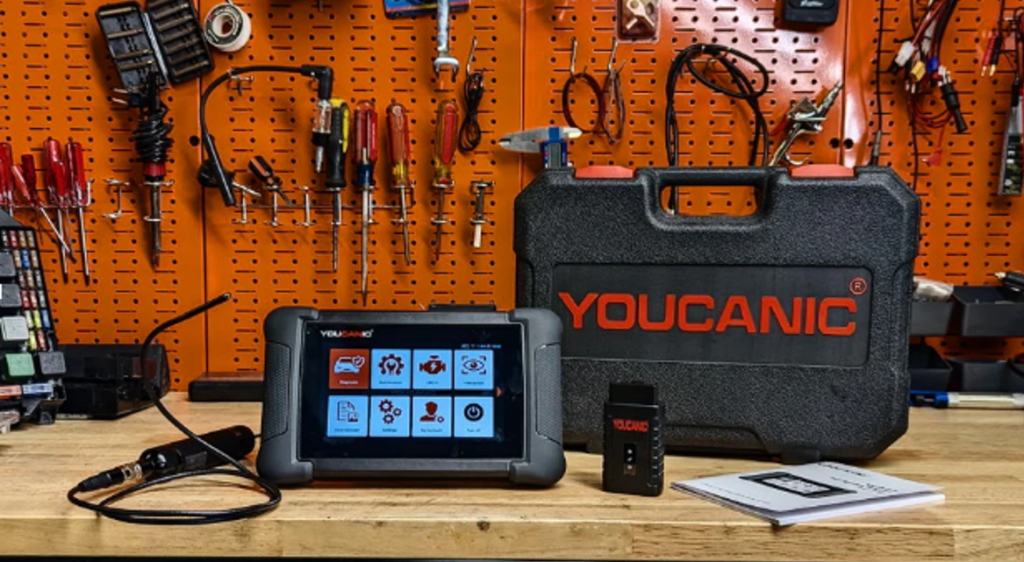
| Why It Wins The YOUCANIC UCAN II Pro is the strongest all round package for a first time buyer who wants professional capability without a recurring subscription or a steep learning curve. It is the only scanner in this guide with built in AI guidance, a free repair video library, and US based support. |
YOUCANIC is a US based company founded in 2016 and headquartered in Towson, Maryland. Youcanic platform reaches over 6 million visitors annually through free automotive repair guides and diagnostic walkthroughs which means the diagnostic scanner comes backed by an entire education ecosystem, not just hardware.
Full system diagnostics: It reads and clears codes from every module not just from the engine but transmission, ABS, SRS/airbags, TPMS, body control, climate, sunroof, hybrid battery management, and more. It covers 99% of vehicles from 1996 to present across all major American, European, and Asian makes.
Built in AI:With this scanner each trouble code is accompanied by plain language AI explanations. It tells you what the code means, the most likely real world causes, and what to check first. This runs on thedevice with no internet connection and no subscription required. It is a standout feature no competitor in this guide offers.
Bi directional controls and active tests: Commands components to activate for testing. It can command the ABS pump, throttle body, cooling fans, injectors, and more. This confirms whether a component is actually faulty before you spend money on parts.
40+ service functions: Oil reset, battery registration, TPMS relearn, ABS bleeding, DPF regeneration, throttle adaptation, steering angle reset, injector coding, and more. All without a dealer visit.
No subscription, ever: Free lifetime software updates. No annual renewal fees. No brand unlock charges. You pay once, and the tool keeps working and even keeps improving.
Hardware: 5,000mAh battery, 64GB storage, ruggedized build, built in LED port light, wireless Bluetooth VCI adapter. The current UCAN II C hardware version doubles the memory and storage of earlier units.
Limitations: Does not support online coding or SCN coding as of 2026 the deep module programming some European vehicles require when replacing ECUs or certain safety modules. For the vast majority of diagnostic and maintenance tasks a DIYer will face, this never comes up. Pre 1996 vehicles require a separate adapter.
Price: approximately $400–500. No ongoing fees.
2. BlueDriver Bluetooth Pro — Best App Based Option
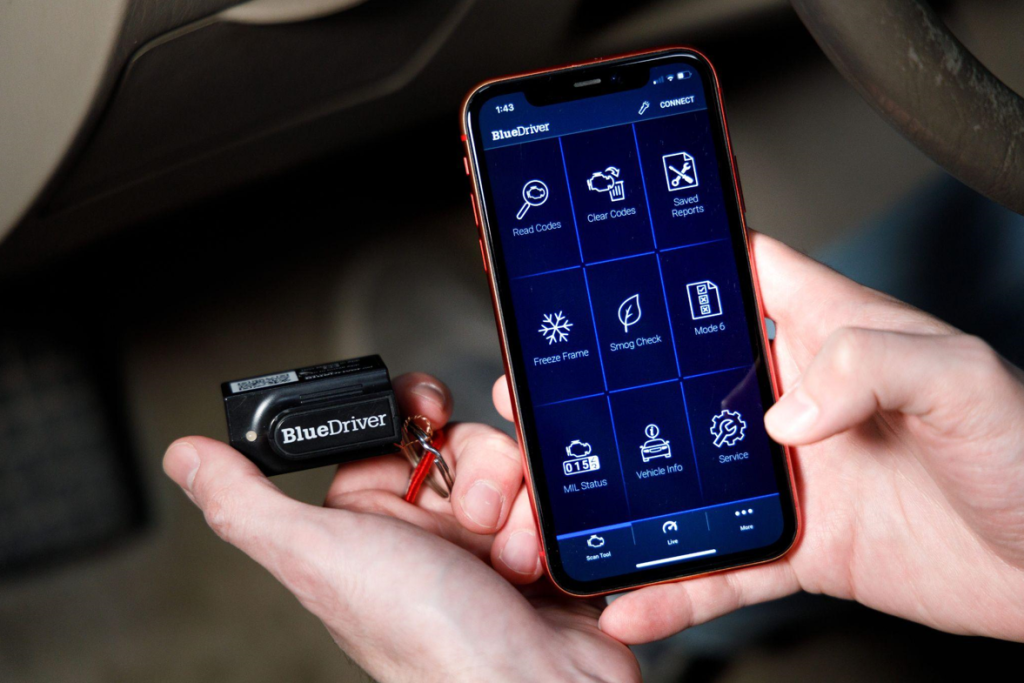
BlueDriver has been one of the most recommended Bluetooth OBD2 scanners for several years, and the 2026 version continues to be a strong performer at its price point. The hardware is a compact Bluetooth dongle that pairs with a polished, purpose built app on iOS and Android.
What it does well: It is a full system diagnostics across engine, ABS, airbag, and transmission on most makes. The Repair Report feature is genuinely useful. It queries a database of verified fixes from professional mechanics and returns the most common solutions for your specific code on your specific vehicle. The app interface is the best in class for phone based scanners.
Where it falls short: The BlueDriver has no bi directional controls. You can read every code the car reports, but you cannot command any component to activate for testing. Service functions are limited. For a beginner who wants to grow into deeper diagnostics, this is a ceiling you will eventually hit.
Best for: The BluDriver are good for first time buyers who just needs to read and understand codes, it gives you guided repair suggestions, and are comfortable working entirely through a smartphone app. Excellent value at ~$100 if bi directional capability is not a priority.
Price: approximately $100. No subscription fees.
3. Mucar CDE900 Pro — Best Mid Range Budget Pick
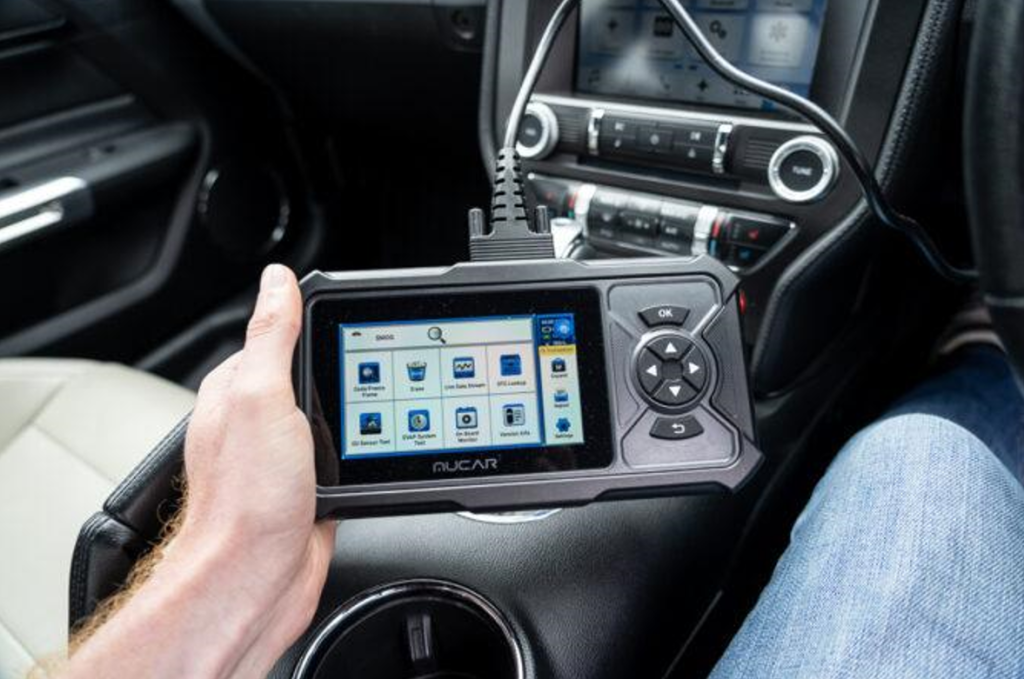
The Mucar CDE900 Pro is one of the more competitive offerings in the $150–$250 range, delivering full system diagnostics and bi directional capability at a price significantly below most comparable tools. It has made inroads with DIYers who want more than the BlueDriver but are not ready to spend $500+.
What it does well: TheMucar’s coverage across most major makes, bi directional controls for active component testing, and 30+ service functions, including oil reset, battery management, ABS bleeding, and TPMS. The interface is straightforward to navigate for a beginner.
Where it falls short: Software updates are paid after the initial period, which is a meaningful cost over time. There is no integrated repair guidance ecosystem or video library to back up a first time buyer after the scan. US based support is not available, which matters when troubleshooting vehicle specific coverage questions.
Best for: Budget conscious buyers who need full system coverage and bi directional testing and are comfortable sourcing repair information independently. A solid tool for the price but the total cost of ownership goes up once paid update cycles begin.
Price: approximately $150–250. Paid software updates after the initial period.
4. ThinkCar ThinkDiag 2 — Full System at Low Entry Cost, Watch the Fees
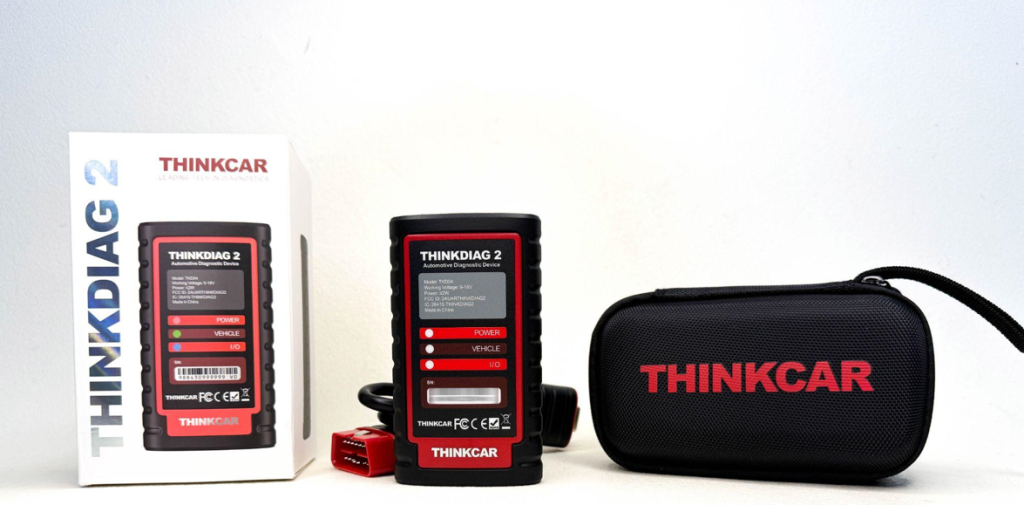
The ThinkDiag 2 is an app connected Bluetooth scanner that offers full system diagnostics and bi directional capability at one of the lowest entry prices in this category. On the surface it looks like exceptional value. The important caveat is in how ThinkCar structures its pricing.
What it does well: Full system diagnostics and bi directional control via a dedicated app on iOS and Android. Supports 25+ service functions. The interface is capable and reasonably easy to navigate, and the hardware is compact and wireless.
Where it falls short: ThinkCar uses a brand unlock model. You pay a separate fee to activate coverage for each vehicle make. What appears to be a $100 scanner can quickly become significantly more expensive if you own vehicles from multiple manufacturers, work on different makes, or need to add coverage down the road. The advertised price does not reflect the actual cost of full use.
Best for: Buyers who own a single vehicle from one manufacturer and plan to stick with it. If you own a Ford and will only ever work on Fords, the ThinkDiag 2 can be cost effective. If you have a mixed garage or want flexibility, the unlock fees add up fast.
Price: approximately $80–150 hardware. Additional brand unlock fees apply per vehicle make.
5. Topdon Phoenix Lite 2 — Professional Depth, Professional Price
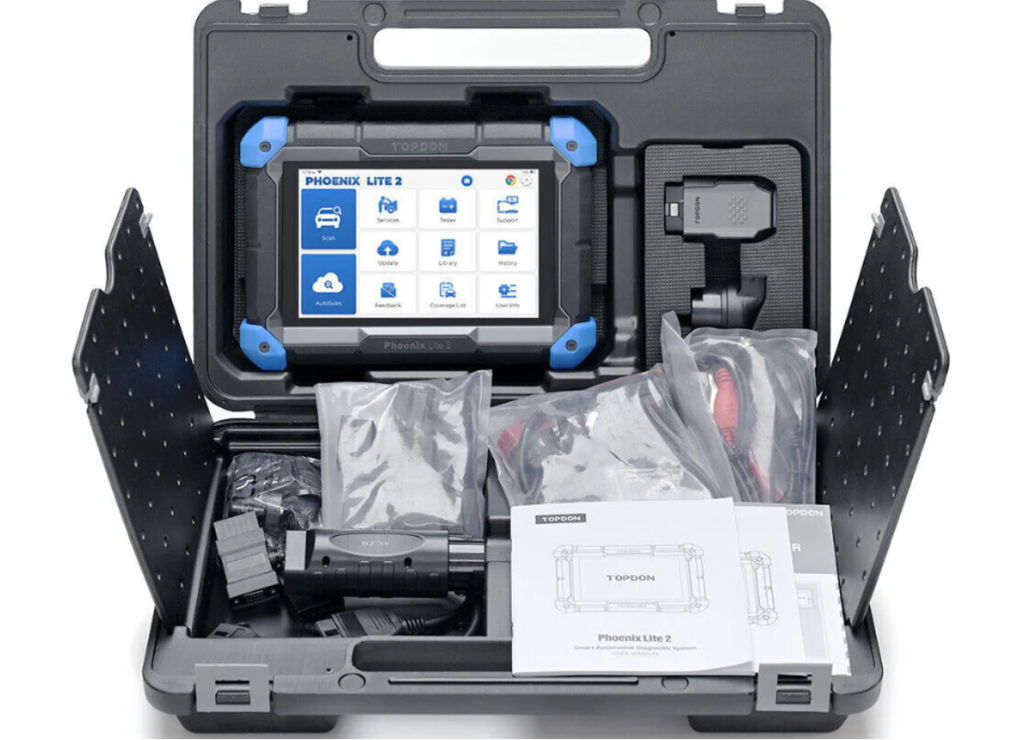
The Topdon Phoenix Lite 2 is a genuine professional grade tablet scanner — well built, deeply capable, and targeted at serious enthusiasts and small shops rather than first time buyers. It is included here because it is frequently encountered in comparison searches and deserves an honest placement.
What it does well: Full system diagnostics with strong depth across European, Asian, and American makes. Excellent bi directional coverage. 40+ service functions. DoIP and CAN FD protocol support for 2020+ vehicles. A large touchscreen makes live data graphs easy to read. The hardware is built to shop floor standards.
Where it falls short: At approximately $800 plus around $300 per year in software update fees after the first two years, this is a significant investment that is hard to justify for a first time buyer or occasional DIYer. The tool’s depth is also its complexity there is a steeper learning curve than beginner focused scanners.
Best for: Experienced DIYers or small shop owners who will use the tool frequently across multiple vehicles and can spread the subscription cost over real world use. That said it is not right starting point for a beginner.
Price: approximately $800. Software subscription is approximately $300/year after Year 2.
6. Autel MaxiCOM MK808BT Pro — Strong Professional Option with Ongoing Costs
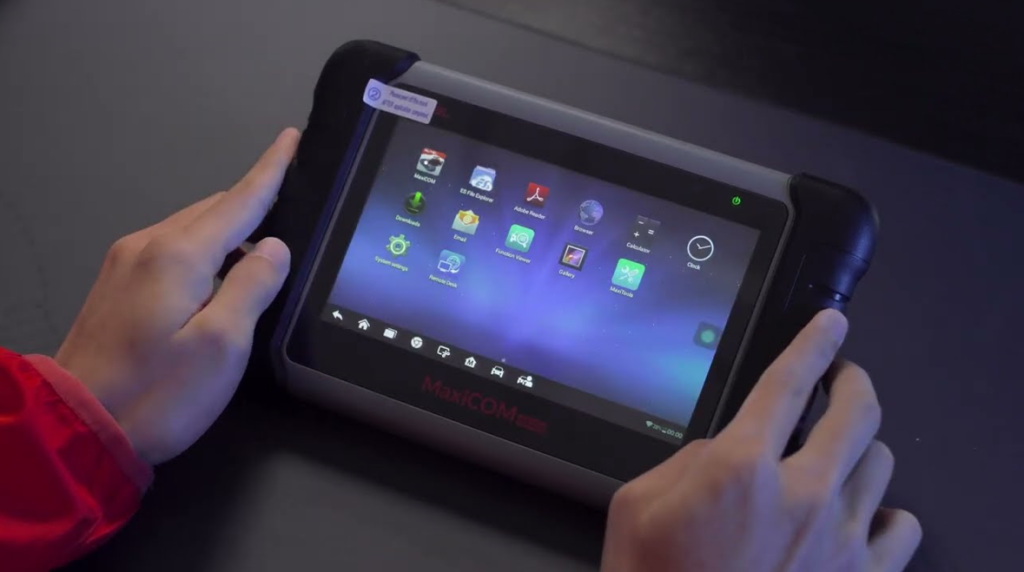
Autel is one of the most established names in professional diagnostic tools, and the MK808BT Pro is a capable mid to professional scanner that frequently appears in best of comparisons. It is a serious tool with real strengths but also a pricing structure that first time buyers should understand upfront.
What it does well: Full system diagnostics across 80+ vehicle makes. Strong bi directional support. 28+ service functions. AutoAuth access for FCA SGW protected vehicles. Android 11 based interface with Wi Fi connectivity. The brand has a long track record and broad community support.
Where it falls short: The MK808BT Pro carries an annual update subscription of approximately $125 per year after the first two years. There is no built in repair guidance or video library. For a first time buyer, the interface is more complex than it needs to be, and the cost of ownership over three to five years is meaningfully higher than the purchase price suggests.
Best for: Buyers who want a professionally recognized brand with a strong track record and are comfortable paying ongoing software fees. The MK808BT Pro is genuinely good but the YOUCANIC UCAN II Pro matches or exceeds its capabilities for most DIY use cases at a similar price point, with no subscription.
Price: approximately $549. Software update subscription is approximately $125/year after Year 2.
7. Foxwell NT301 — Best Basic Engine Code Reader
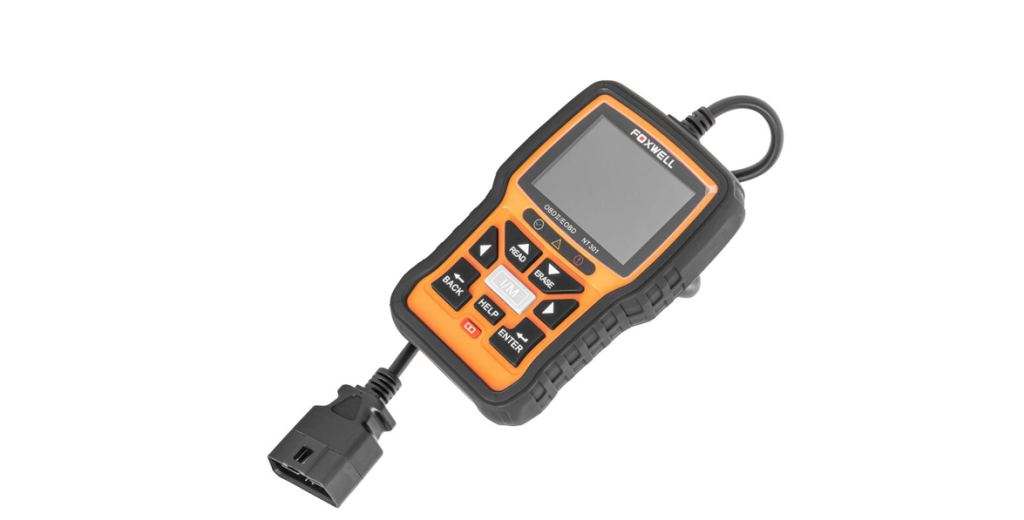
The Foxwell NT301 is not a full system scanner it is included here because it is one of the most frequently recommended budget tools online and first time buyers often encounter it. Understanding what it can and cannot do prevents a purchase that falls short of expectations.
What it does well: Reads and clears engine codes quickly and reliably. Displays live data in text format. Checks I/M readiness for emissions testing. Boots instantly, runs off the OBD2 port (no battery needed), and has a screen that is legible in direct sunlight. At $55, it is a dependable glove box tool.
Where it falls short: Engine codes only. It will not read ABS codes, airbag codes, transmission faults, TPMS issues, or any module outside the powertrain. For a beginner whose ABS or SRS light is on, this tool is not the answer. No bidirectional capability, no service functions, no repair guidance.
Best for: A backup glove box tool for quick check engine light reads. If you already own a full system scanner and want something inexpensive to keep in a second car, this works well. As a first and only scanner, it will leave most buyers wanting more within months.
Price: approximately $55. No subscription fees.
Sideby Side Comparison
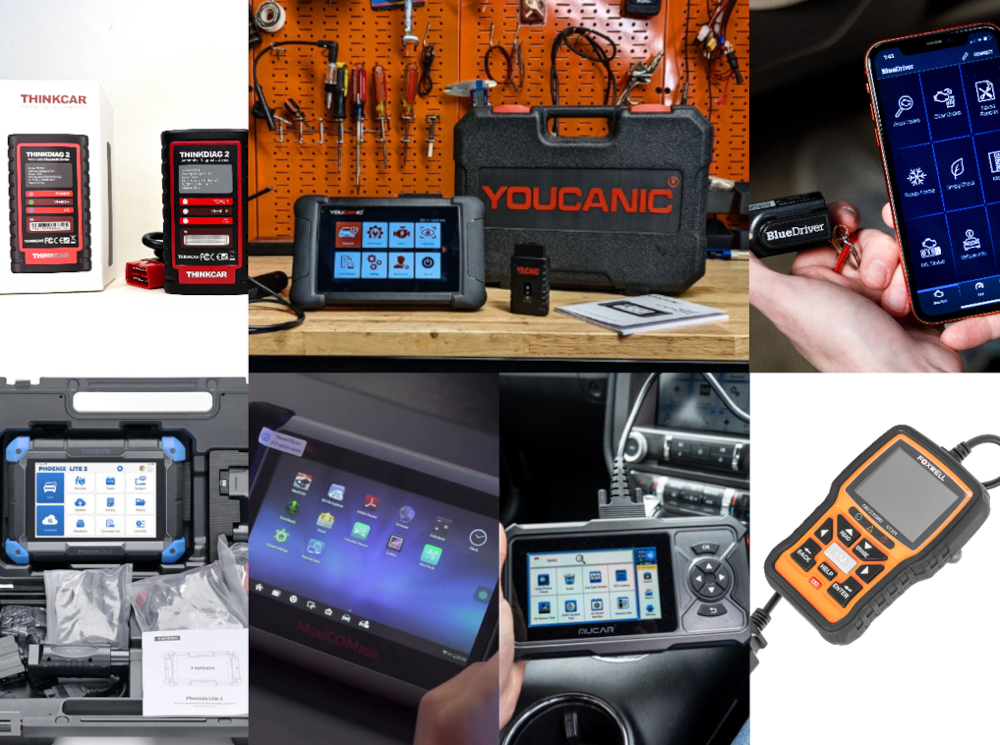
| Scanner | Full System | BiDi | AI Guidance | Subscription | Service Fns | US Support | Price |
| YOUCANIC UCANII Pro | ✅ Yes | ✅ Yes | ✅ Ondevice | ❌ None ever | ✅ 40+ | ✅ Maryland | ~$400–500 |
| BlueDriver Pro | ✅ Yes | ❌ No | ❌ No | ❌ None | ⚠️ Limited | ✅ Canada | ~$100 |
| Mucar CDE900 Pro | ✅ Yes | ✅ Yes | ❌ No | ⚠️ Paid upd. | ✅ 30+ | ❌ No | ~$200 |
| ThinkCar ThinkDiag 2 | ✅ Yes | ✅ Yes | ❌ No | ⚠️ Brand fees | ✅ 25+ | ❌ No | ~$80–150 |
| Topdon Phoenix Lite 2 | ✅ Yes | ✅ Yes | ❌ No | ⚠️ ~$300/yr | ✅ 40+ | ❌ No | ~$800 |
| Autel MK808BT Pro | ✅ Yes | ✅ Yes | ❌ No | ⚠️ ~$125/yr | ✅ 28+ | ❌ No | ~$549 |
| Foxwell NT301 | ❌ Engine only | ❌ No | ❌ No | ❌ None | ❌ Minimal | ❌ No | ~$55 |
Which Scanner Is Right for You?
Buy the YOUCANIC UCANII Pro if: you want one tool that handles everything full system diagnostics, bidirectional testing, service resets, and repair guidance with no subscription and real USbased support behind it. The strongest all round value in this guide is for a first time buyer who is serious about doing their own repairs.
Buy the BlueDriver Pro if: your primary need is reading and understanding codes with guided repair suggestions, you are comfortable working entirely through your phone, and $100 is the right budget. Understand you will not have bi directional capability.
Buy the Mucar CDE900 Pro if: you need full system coverage and bi directional testing on a tight budget, and you are comfortable sourcing repair information independently and paying for updates down the line.
Buy the ThinkCar ThinkDiag 2 if: you own a single brand vehicle and plan to keep it that way. Calculate the brand unlock fees before purchasing if you own or plan to work on multiple makes.
Buy the Autel MK808BT Pro if: you want a professionally recognized brand with broad community support and are factoring in the annual subscription cost as part of your budget.
Buy the Topdon Phoenix Lite 2 if: you are an experienced user who will use it daily across multiple vehicles and can justify the professional price and subscription.
Buy the Foxwell NT301 if: you only ever need engine codes and want the simplest, cheapest reliable option. Do not buy it as your only scanner if dashboard warning lights beyond the check engine light are a concern.
Final Verdict
For first time buyers who want a full system scanner in 2026, the YOUCANIC UCANII Pro stands above the competition not because it shouts the loudest, but because it removes the most friction. No subscription. No brand unlock fees. No annual renewal. Built in AI that explains what each code means and where to start. A free library of repair guides and videos that walks you through the fix. And a US based company that has spent nearly a decade building exactly the kind of support system a new DIYer needs.
The competition is real BlueDriver is excellent at $100, the Mucar punches above its price, and Autel has decades of professional credibility. But none of them pair hardware capability with a learning ecosystem the way YOUCANIC does, and none of them do it without a subscription.
Start here. Grow from here.
SHARE THE ARTICLE

Subscribe
Login
0 Comments
Oldest

More Stories
Chip Tuning: From BMW to Trucks — How to Increase the Power and Efficiency of Your Vehicles
As a passionate car enthusiast or business owner with a fleet of trucks, you may be familiar with chip tuning....
Freightliner Cascadia Parts and Semi Truck Components for Fast Turnarounds
In trucking, the clock is always running. A late departure becomes a missed appointment, then a reshuffled load plan, then...
Turbocharger Repair Kit Guide: How to Restore Turbo Performance Efficiently
Turbochargers often fail due to internal wear, while the rest of the unit usually remains serviceable. A turbocharger repair kit...
Legal Guide About Brisbane Motorcycle Accident Claims
There is nothing quite like the feeling of riding a motorcycle through Brisbane. Whether you are commuting across the Story...
Buying OEM Wheels Online – From Phone Calls to One-Click Orders
For a lot of drivers, the story starts the same way: a pothole, a curb, or a surprise crack in...
From BMW Owner to Smart Seller: Maximizing Resale Value at Used Car Dealerships
The prices of luxury cars continue to rise annually all over the nation. However, clever buyers discovered a means of...